


- About Amazon credentials.
- Amazon Associates program - get an affiliate ID.
- Product Advertising API - get Amazon access keys.
- Migrating from AWS / Managing access keys in Amazon Web Service.
- Saving Amazon credentials in RSS Ground account.
About Amazon credentials
To search for targeted affiliate products and generate Amazon feeds you need: Amazon Associates ID, Amazon Access Key, Amazon Secret Key.
Amazon Associates ID - is your personal affiliate ID embedded in product links to track commissions.
Amazon Access Keys - is a pair of Access and Secret keys to sign programmatic requests to the Amazon products database. Read more here.
To obtain all needed Amazon credentials you need to sign up for the Amazon affiliate program and Amazon product advertising API.
^ to the top
Amazon Associates program
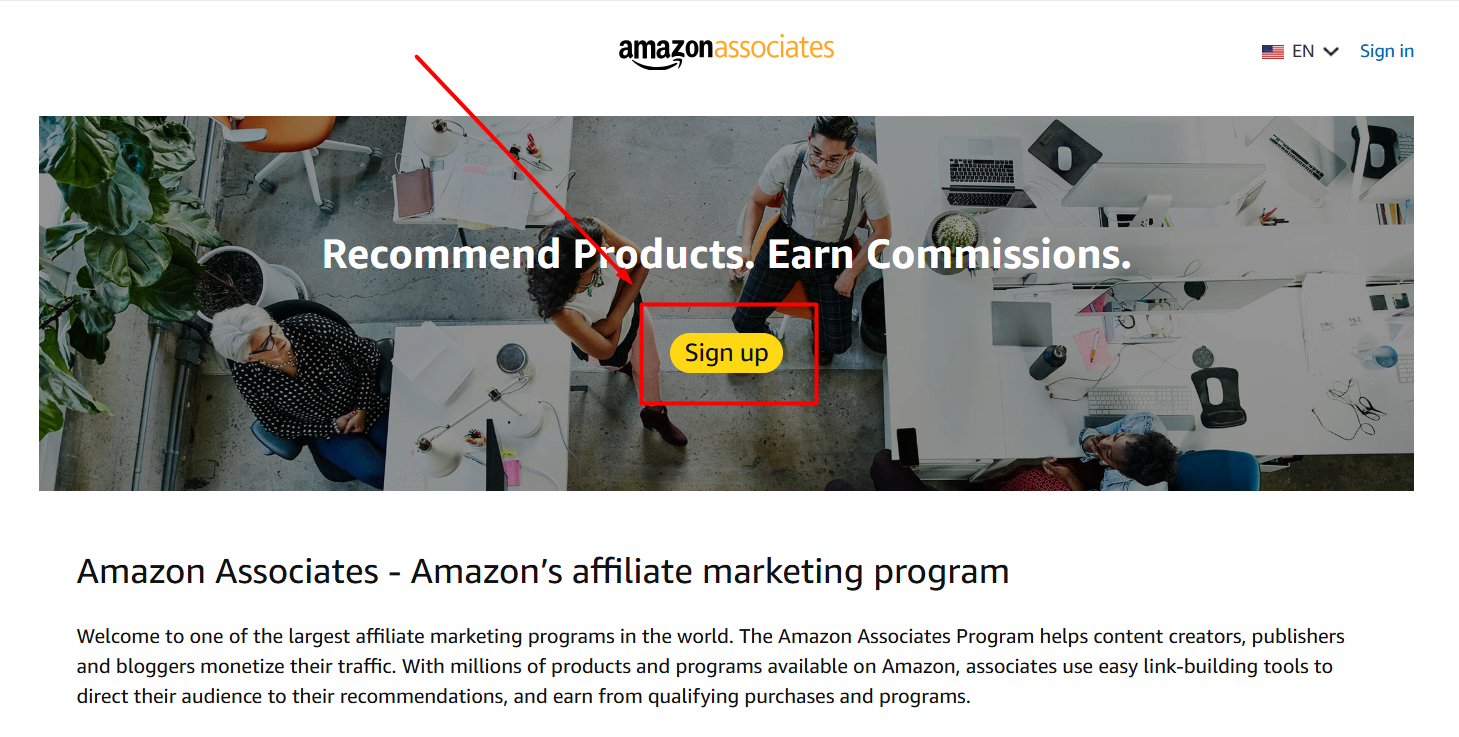
If you wish to promote Amazon products and receive fair commissions you need to sign up for the Amazon affiliate program.
Amazon affiliate program is called Amazon Associates.
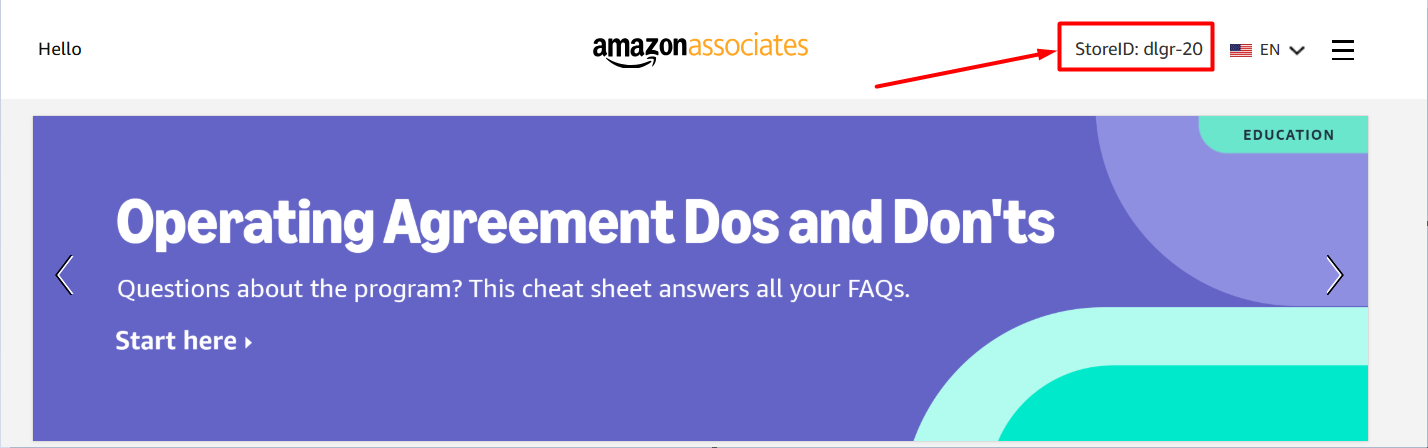
Every time you log in to your Amazon affiliate account you can see your associate (affiliate) ID in the upper right corner:
^ to the top
Product Advertising API
In our service, we use programmatic access to Amazon’s product database. But each call to this database has to be personalized. That's why you need to join the Amazon Product Advertising API to obtain your personal access keys.
Go to your Amazon associates account and in the main menu choose Tools > Product Advertising API
On the next screen press Join.You will receive a pair of an Access Key and a Secret Key. These two keys work only together and can't be used separately.
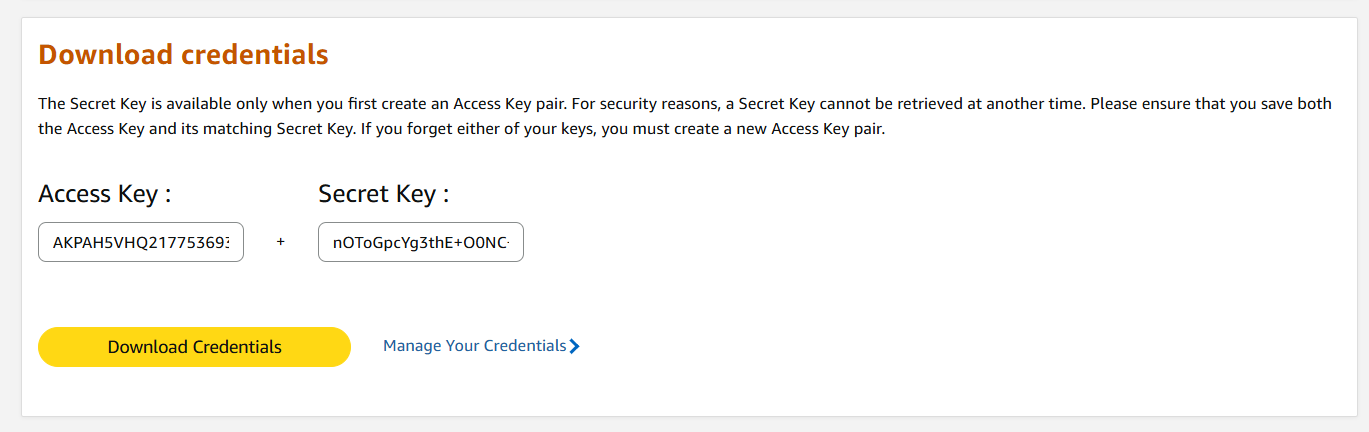
Note: Your Secret Key is only visible immediately after creating a new Access Key pair. For security purposes, it cannot be retrieved once you leave the page. Please ensure you securely save both your Access Key and the corresponding Secret Key right away. If you lose or forget either key, you will need to generate a brand-new pair.
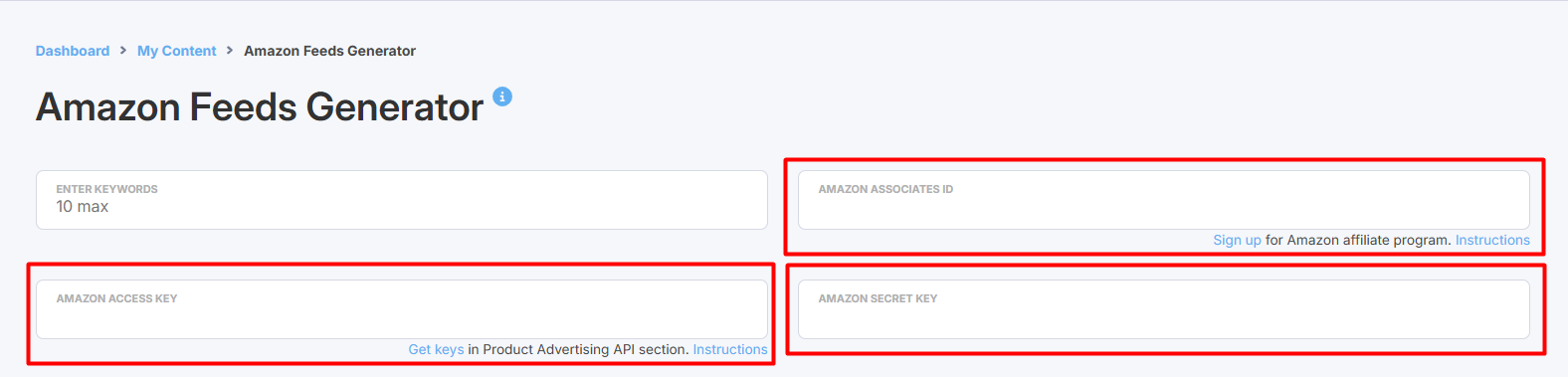
You will use these keys along with your Amazon associates ID (Store ID) in the Amazon Feeds generator.
^ to the top
Saving Amazon credentials in Feedigy account
You need your Amazon Associates ID and Amazon Keys every time you generate new Amazon product feeds.
You can save your Amazon credentials in your Feedigy account and avoid entering them manually over again
Go to the Default settings > Content feeds > Amazon feeds menu.
Add your Amazon credentials to the appropriate fields and press the Update button.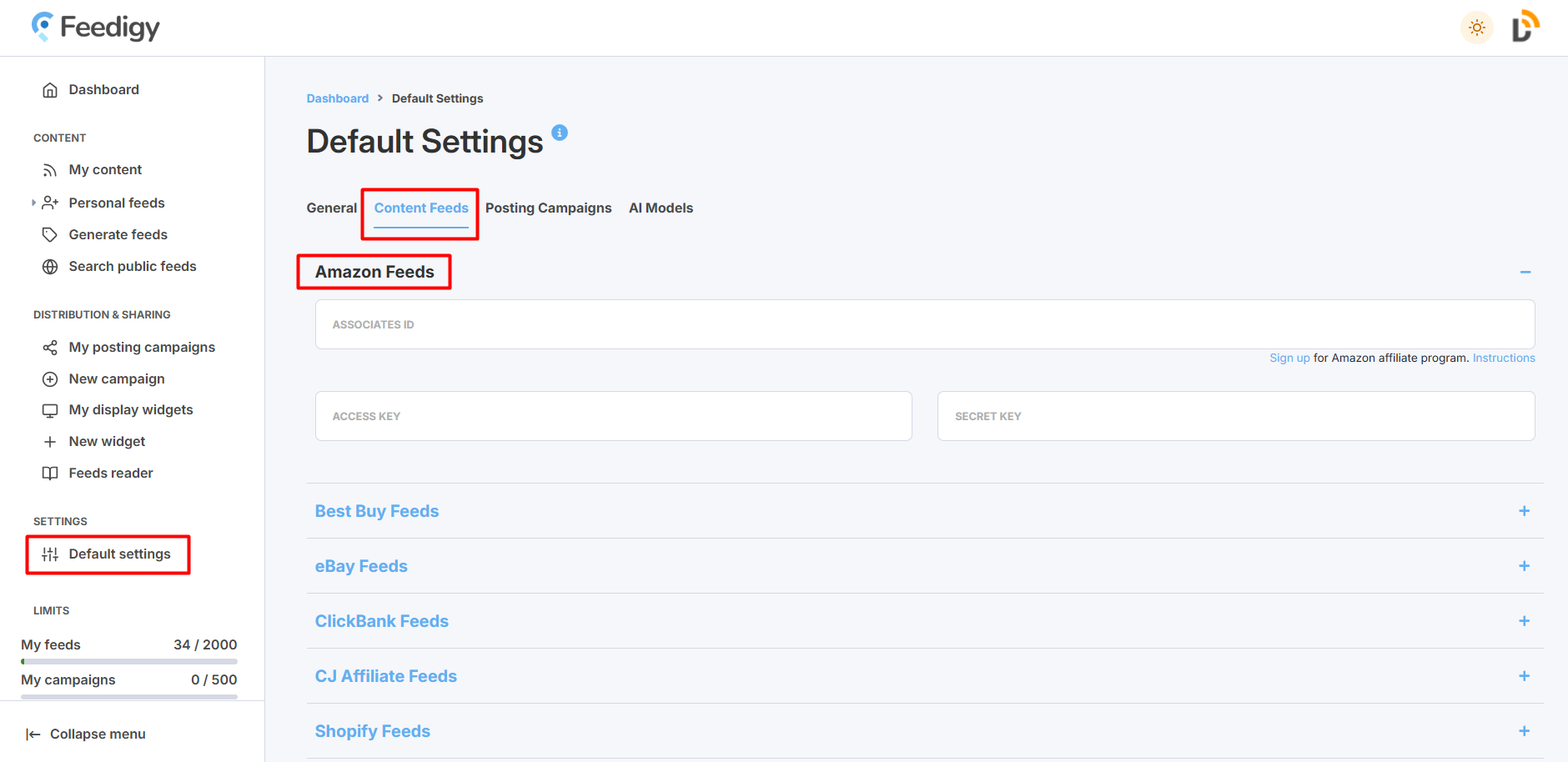
^ to the top