

About ClickBank Feeds

ClickBank Feeds generator allows you to create self-updating content feeds with targeted ClickBank products based on search by your keywords.
Your ClickBank affiliate ID can be automatically embedded into product links making it incredibly simple for you to promote ClickBank products on your blog or social media and earn fair commissions.
Please remember about the necessity to include an affiliate disclosure on any pages or posts that feature affiliate products. Affiliate disclosure is a statement that makes it clear there is an affiliate relationship between a publisher and a brand. Read more about affiliate disclosure
Example of ClickBank affiliate product in the feed:

Before you start using the ClickBank Feeds generator you need to sign up for the ClickBank affiliate program. See a quick guide.
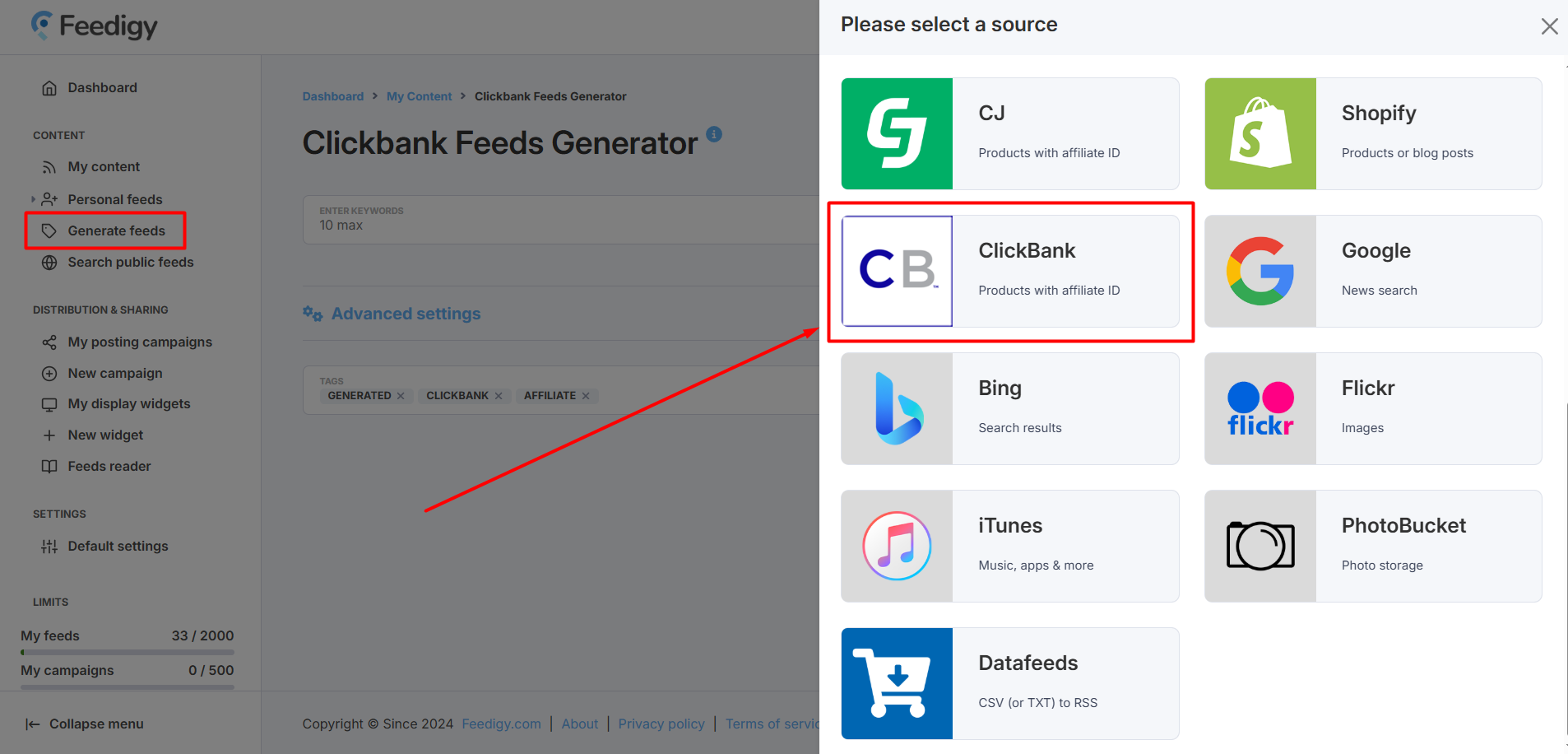
If you already have a Feedigy account, you need to press Generate feeds in the left navigation sidebar and select ClickBank as a content source:
^ to the top
Basic settings
ClickBank Feeds generator has Basic and Advanced settings. Advanced settings are optional and are used for more targeted search. You can use only basic settings to start searching for ClickBank products.

All Basic settings are mandatory:
- Specify your search keywords. Up to 10 search keywords at a time are allowed.
- Specify your ClickBank affiliate ID (Nickname). Learn how to obtain a ClickBank affiliate ID
Advanced settings
To access the search filters, click the Advanced settings link located below basic settings. Here, you can apply one or more of the following filters to refine your results.
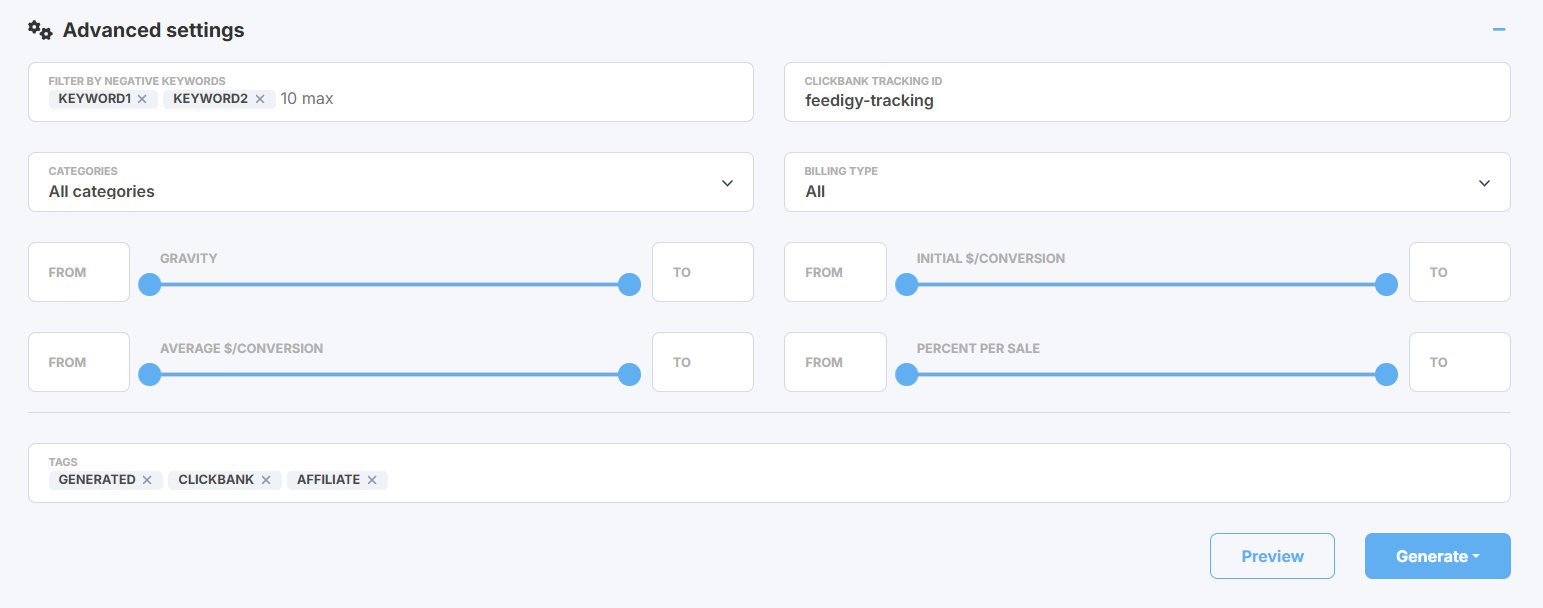
In the Advanced settings section you can use one or several filters:
- Filter by negative keywords - exclude any products from your results that mention one or more of your specified keywords.
- Tracking ID - enter your unique code here to track your ClickBank links and sales. This ID will be automatically added to every product link. Learn more about ClickBank tracking ID.
- Categories - narrow your search to a specific ClickBank category, or select "All categories" to search the entire marketplace.
- Billing type - filter products by their payment model: select "One-Time," "Recurring," or "All" to include both.
- Gravity - approximate relative measure of how many affiliates have successfully promoted products from an account, with a higher number meaning more conversions. You can specify a minimum and/or a maximum gravity value.
- Initial $/Conversation - average commission an affiliate initially earns for each conversion to the seller's offer, not including rebills. You can specify a minimum and/or a maximum Initial $/Conversion value.
- Average $/Conversation - average commission an affiliate earns for each conversion to the seller's offer, including the earnings from all sales (initial sales, upsells, and rebills). You can specify a minimum and/or a maximum Avg $/Conversion value.
- Percent per sale - average percentage an affiliate earns across the entire "funnel" (the initial purchase plus any one-click upsells).
Generating ClickBank feeds
Before you generating your feed, please use the Preview option to make sure your feed displays products relevant to your search.
Also, you can specify tags for your feed that will appear in the My content table where all your generated feeds are automatically saved. This will help to search or filter your feeds there.
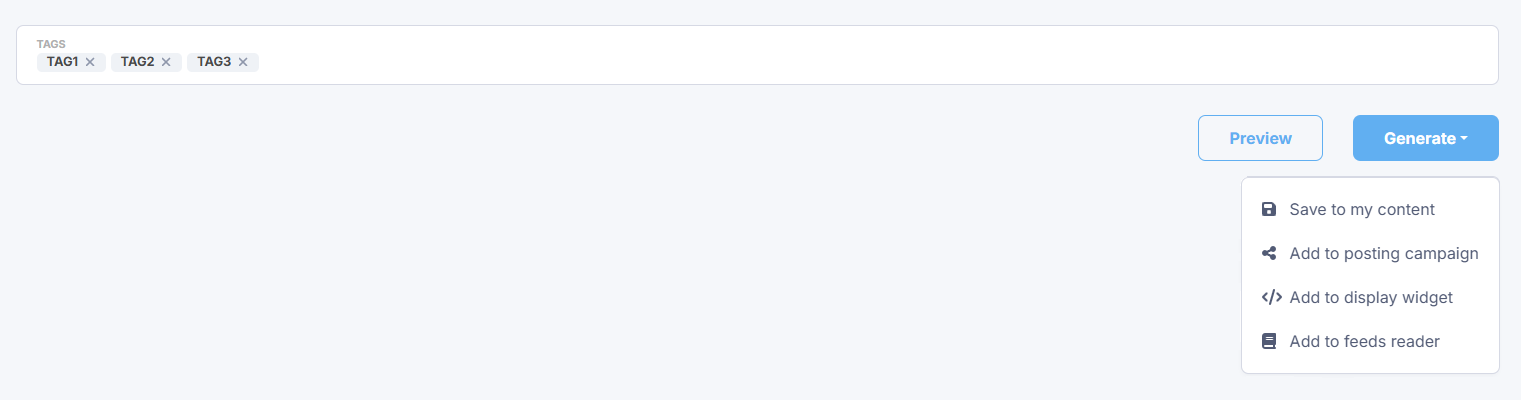
Press the Generate button. You have several options:
- Save to my content - simply save ClickBank feeds to My content vault.
- Add to posting campaign - add ClickBank feeds to an existing posting campaign or create a new campaign to start sharing content from ClickBank feeds to your blogs and social media.
- Add to a display widget - add your feeds to an existing display widget or create a new display widget to add a content block with ClickBank products to your website or blog.
- Add to feeds reader - add ClickBank feeds to your Feeds Reader to start following the latest updates or for further research.
Note: whatever option you choose, your new ClickBank feeds will be automatically saved to My content.
We will generate a separate ClickBank product feed for each specified search keyword in the basic settings.